Prototype CNC Machining Checklist: What to Review Before Requesting a Quote
Nothing slows a prototype project down faster than an incomplete RFQ. Missing material specifications, undefined threads, or incomplete drawings can all lead to follow-up questions that delay quoting and push production further out. Fortunately, most of these delays are preventable.
Use this checklist before uploading your CAD files to help streamline the quoting process and get your prototype into production faster.
What Should You Include in a Prototype CNC Machining RFQ?
Before requesting a prototype CNC machining quote, include a complete CAD model, material specification, quantity, engineering drawing (when required), surface finish, critical tolerances, certification requirements, and delivery expectations. Providing complete information upfront helps reduce quoting delays and keeps your project moving toward production faster.
| Before You Upload | Why It Matters | Done? |
| CAD Model (Latest Revision) | Ensures the correct design is reviewed for quoting. | ☐ |
| Material & Alloy | Determines machining strategy, tooling, and cost. | ☐ |
| Quantity | Impacts setup time and per-part pricing. | ☐ |
| Engineering Drawing (if required) | Defines threads, GD&T, critical dimensions, and notes. | ☐ |
| Surface Finish | Prevents quote revisions later in the process. | ☐ |
| Critical Tolerances | Apply tighter tolerances only where function requires them. | ☐ |
| Certifications & Inspection Requirements | Ensures required documentation is included in the quote. | ☐ |
| Delivery Requirements | Helps determine standard lead times or whether your project may qualify for Expedited Machining. | ☐ |
CAD Model
Your 3D CAD model is the foundation of every prototype project.
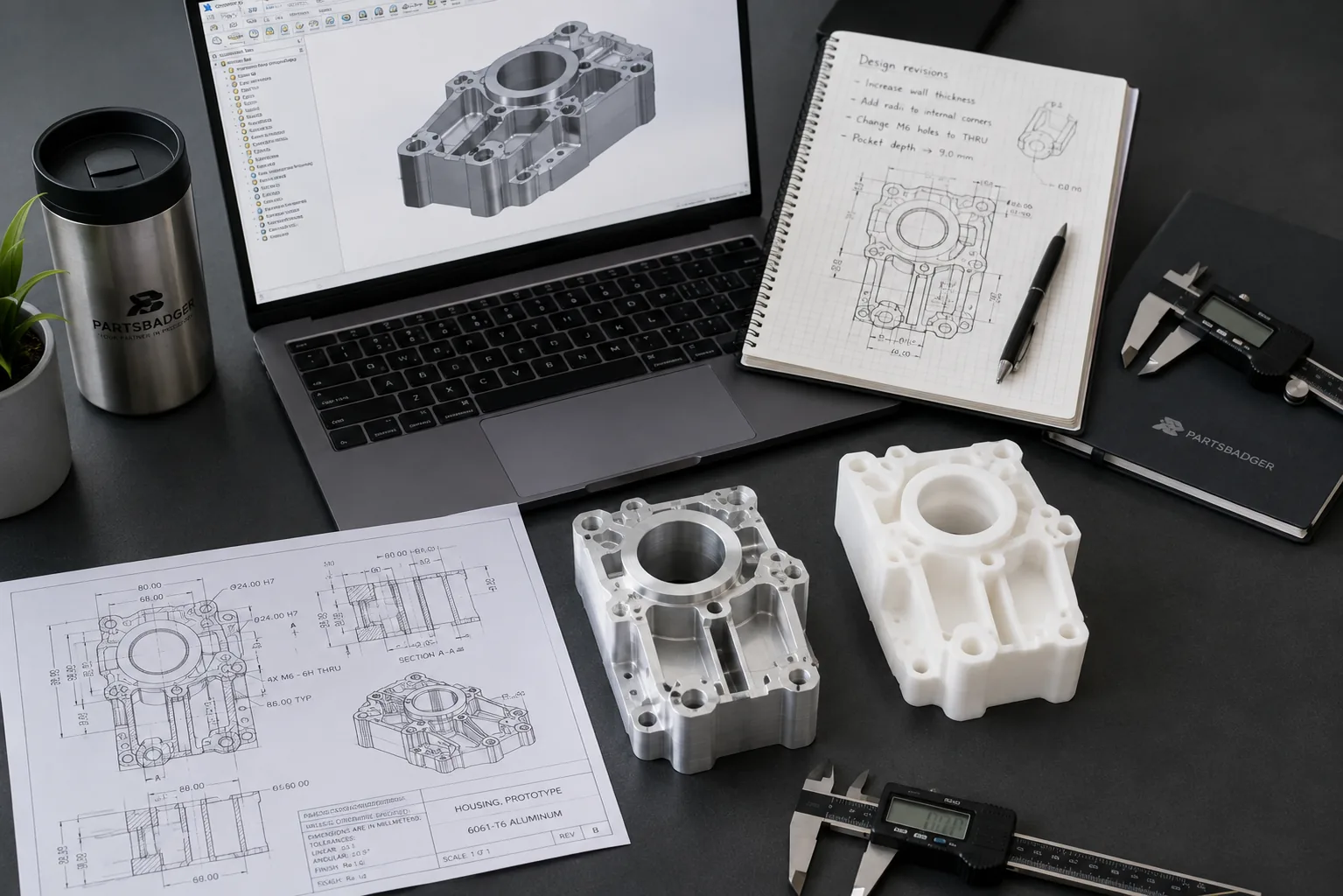
Whenever possible, upload the latest revision of your design in a widely accepted format such as STEP, STP, SLDPRT, PRT, CATIA, IGS, IPT, X_T, DWG, and SAT.
A complete and accurate model allows the manufacturing team to evaluate geometry, machining complexity, and manufacturability before generating a quote.
Using an outdated revision is one of the easiest ways to create unnecessary delays.
Material, Drawing, and Finish
A CAD model alone rarely contains everything needed to manufacture a part.
Be sure to specify:
- Material and alloy
- Expected quantity
- Surface finish or coating
- Heat treatment, if applicable
If your design includes threads, GD&T, critical dimensions, inspection notes, or other manufacturing requirements, include an engineering drawing as well. These details often cannot be communicated through the 3D model alone and help prevent clarification requests later in the quoting process.
Tolerances
Not every dimension requires the same level of precision.
Apply tighter tolerances only where they directly affect part function. Over-specifying tolerances across an entire part can increase machining time, inspection requirements, and overall manufacturing costs without improving performance.
Recommended reading: Tight Tolerance Machining: Which CNC Features Need It and a Simple Test for Your Drawing
Delivery Requirements
If your project has a tight deadline, communicate that early in the quoting process.
For qualifying parts, PartsBadger’s Expedited Machining service can manufacture components in as little as two business days with no additional expedited machining costs. Reviewing the qualification requirements before requesting a quote can help determine whether your project is a good fit.
Common Prototype RFQ Mistakes
Before submitting your files, check for these common issues:
- Uploading an outdated CAD revision
- Missing material specifications
- Undefined thread callouts
- Omitting surface finish requirements
- Applying unnecessarily tight tolerances throughout the entire part
- Forgetting inspection or certification requirements
Most RFQ delays happen because one or more of these details are missing, not because the machining itself is complicated.
Practical Guidance: Review These Five Items Before Uploading Your CAD File
Before clicking Upload, ask yourself:
- Is this the latest revision of my CAD model?
- Have I specified the correct material, finish, and quantity?
- Does my drawing include all critical manufacturing notes?
- Have I applied tight tolerances only where they’re functionally required?
- Have I included any delivery or certification requirements?
Taking a few extra minutes to review your RFQ can help reduce revisions, accelerate quoting, and keep your prototype project moving.
Key Takeaways
- A complete RFQ helps accelerate prototype quoting.
- Always submit the latest CAD model revision.
- Include drawings whenever threads, GD&T, or critical notes are required.
- Only apply tight tolerances where they affect part function.
- Providing complete project information helps move your prototype into production faster.
From Prototype to Production
A successful prototype is only the beginning. As your project grows, working with the same manufacturing partner can simplify revisions, improve consistency, and make scaling to production much easier.
One customer needed to develop multiple prototypes quickly while preparing for high-volume production if they won a major program. By keeping both stages with PartsBadger, they successfully scaled production after winning the largest contract in their company’s history.
Read the full Rapid CNC Prototyping Case Study →
Ready to Build Your Prototype?
Whether you’re building one prototype or planning for future production, upload your CAD files to request a quote. PartsBadger can support your project at every stage, from prototype to production, whenever you’re ready.